Building Be Focus Android App
Business Scenario
This project is a simple Android productivity app called “Be Focus.” It helps users manage their focus sessions by allowing them to set a task name and a timer, then receive notifications and visual feedback when the session is complete. The app is suitable for students, professionals, or anyone looking to improve their time management and focus.
Techniques
- Platform: Android (minSdk 24, targetSdk 34)
- Language: Kotlin
- UI: Android Views (ConstraintLayout, Spinner, EditText, etc.)
- Build System: Gradle (Kotlin DSL)
- Components:
- UI Components (Views):
EditTextfor Task Name,Buttonfor submission,Spinnerdropdown for time selection. - Fragment:
NotificationFragment: Custom dialog fragment to show notifications (e.g., when the task name is empty). - Intent: start
TimerActivityand pass task details.
- UI Components (Views):
Workflow
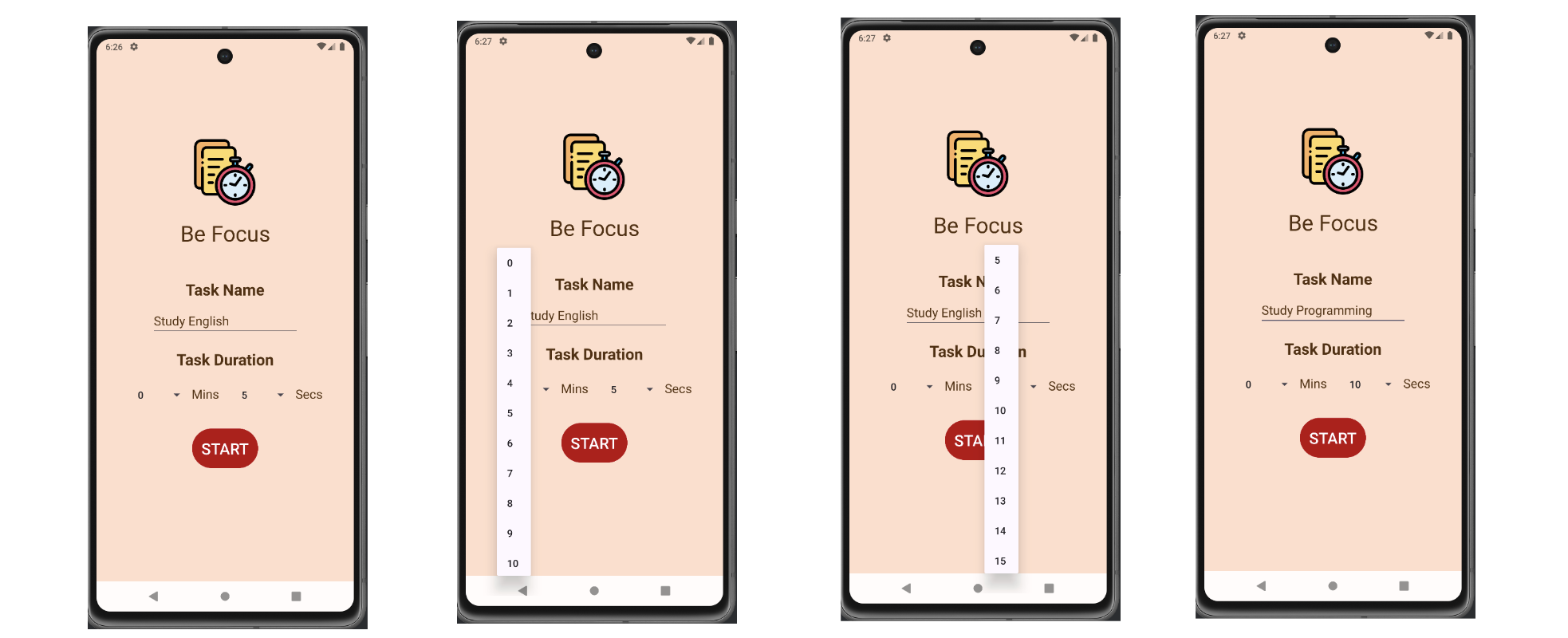
Step 1: Main Screen
- User enters a task name with input validation (cannot be empty).
- User selects minutes and seconds for the focus session using spinners.
- User taps “START” to begin.
Step 2: Timer Screen
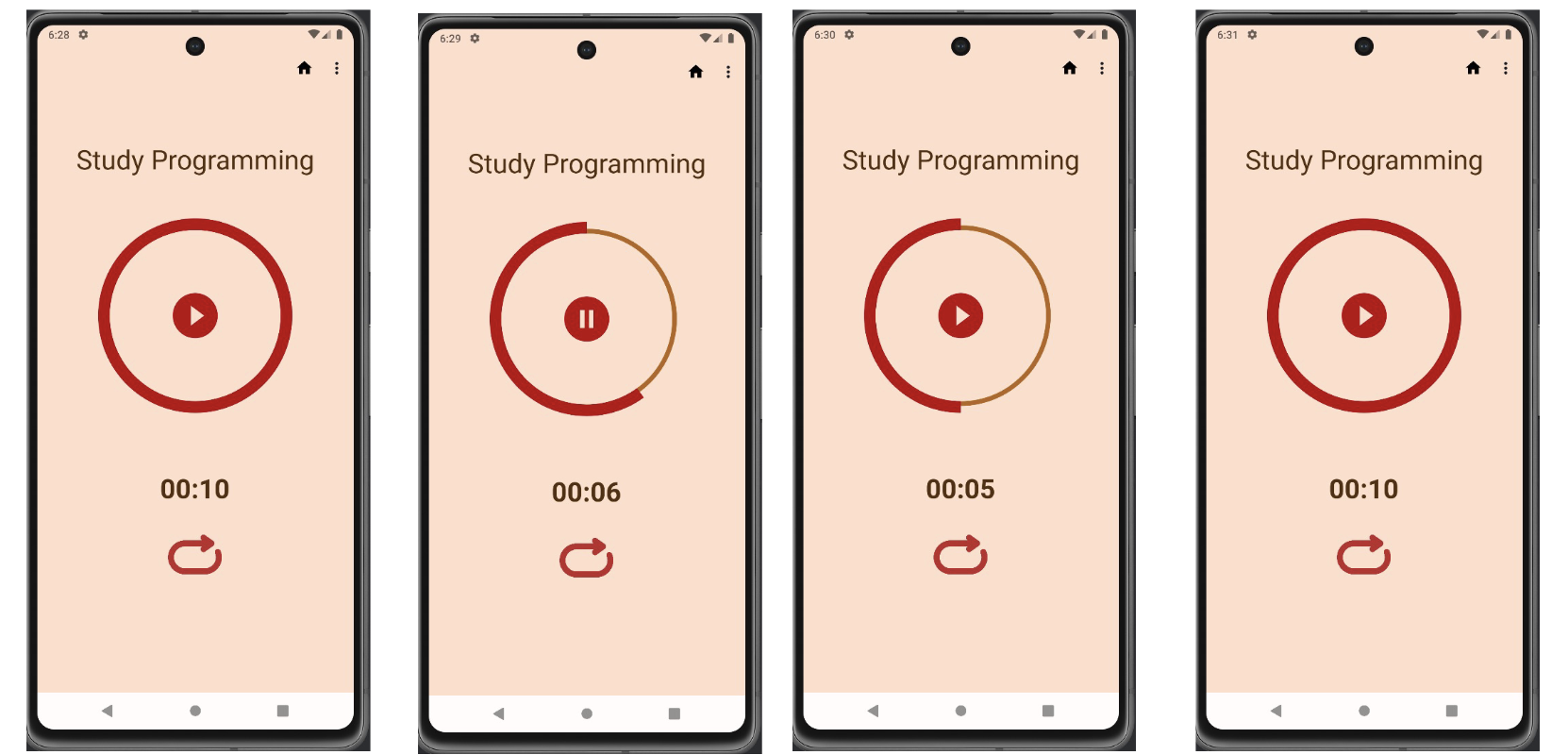
- Displays the task name and a countdown timer with a progress bar.
- User can pause/resume or stop the timer.
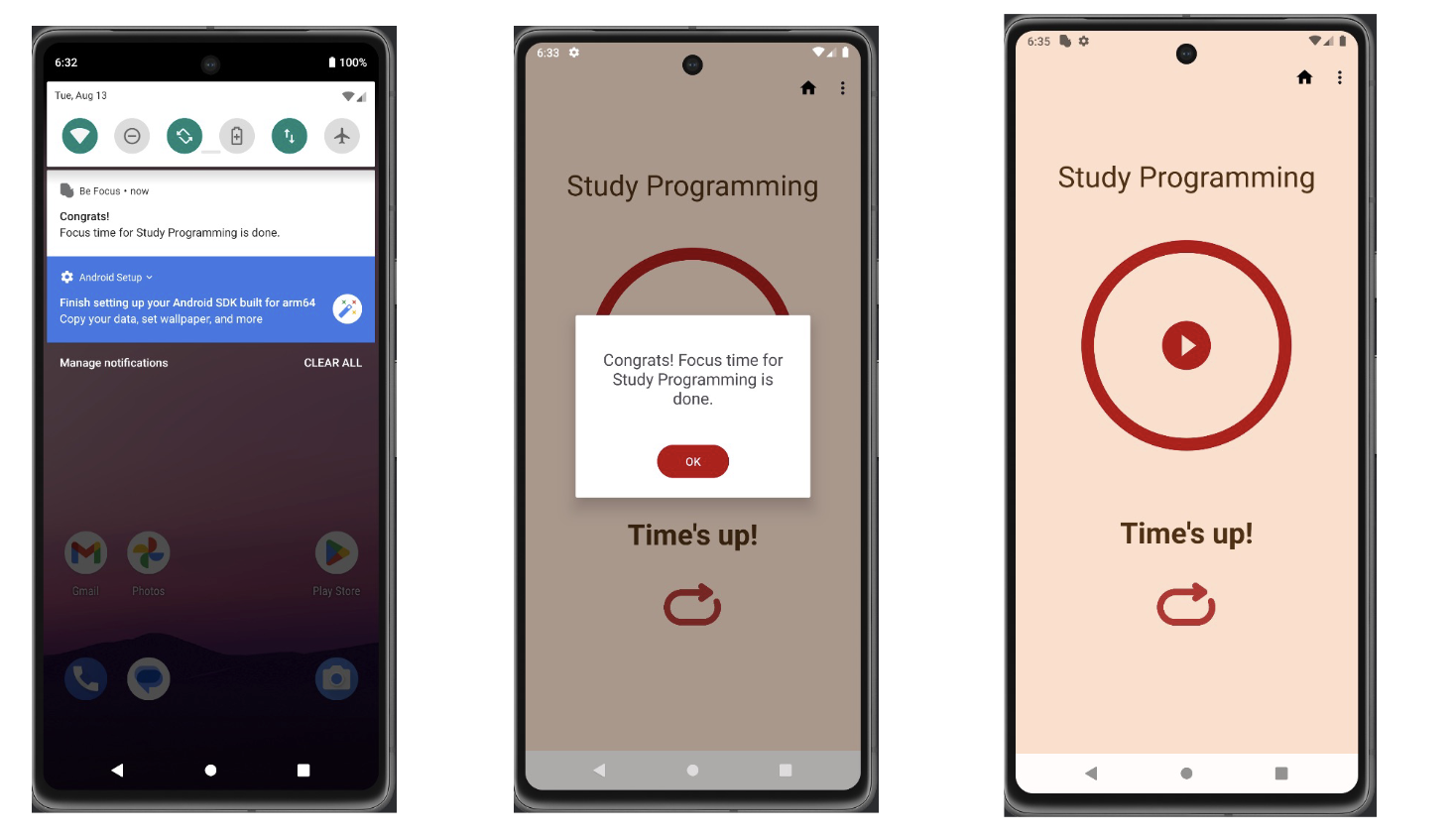
- When the timer finishes, a notification and dialog appear to congratulate the user.
Step 3: Edit Task
- User can edit the current task and timer settings from the timer screen.
Functionalities
-
Add and Edit a task
-
Play Pause and Reset
-
Notification when task is done