Building Catch The Words Android App
Business Scenario
Catch The Words is an educational Android app designed to help users, especially children, improve their vocabulary and word recognition skills through interactive quizzes. The app presents users with questions related to different topics, encouraging learning in a fun and engaging way.
Techniques
- Platform: Android
- Language: Kotlin
- UI: Android XML layouts with Material Design components
- Build System: Gradle (Kotlin DSL)
- Components:
- Activities:
MainActivity(main screen),TopicActivity(topic selection and quiz screen) - Dialog Fragment:
RateFragment(custom dialog for user feedback/rating) - Navigation Menu: Options menu for navigation (e.g., return to home, switch topics)
- UI Components:
Button,ImageView,TextView,EditText(for user interaction and display), Custom layouts defined in XML - Intents: Used for navigation between activities and passing data (e.g., selected topic)
- Activities:
Workflow
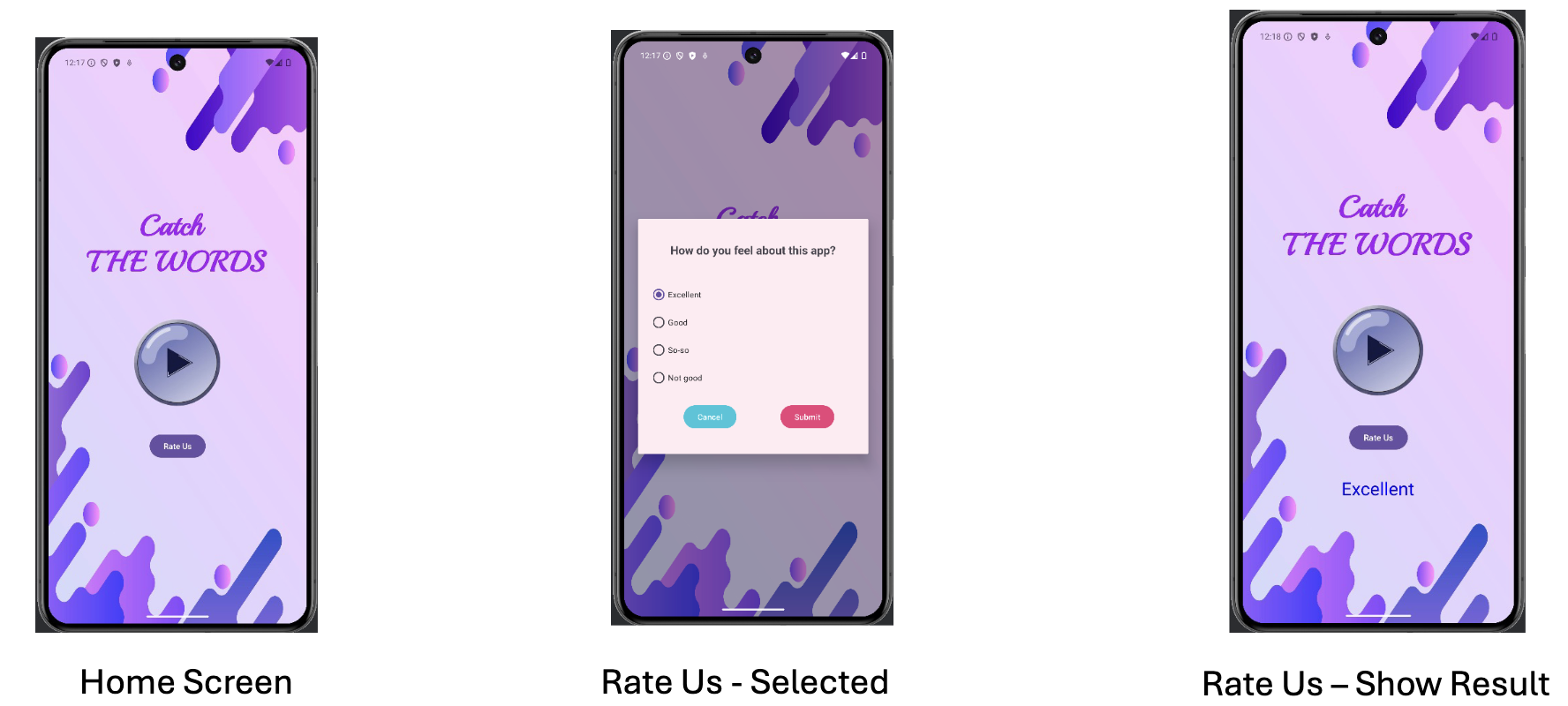
Step 1: Launch App
- The main screen displays the app title and navigation buttons.
Step 2: Start Quiz
- Clicking “Play” navigates to the topic selection screen.
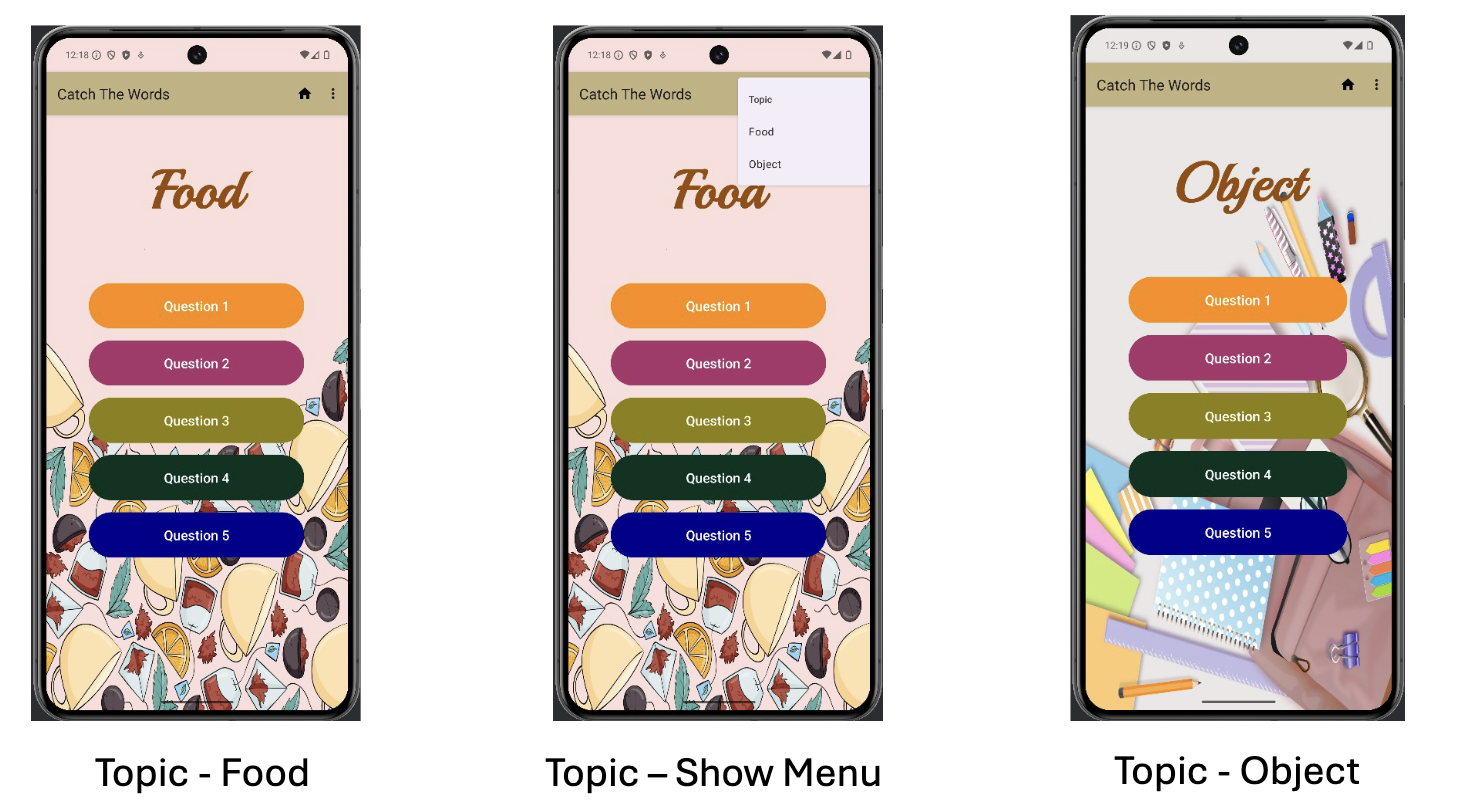
Step 3: Select Topic
- User selects a topic, which updates the background and available questions.
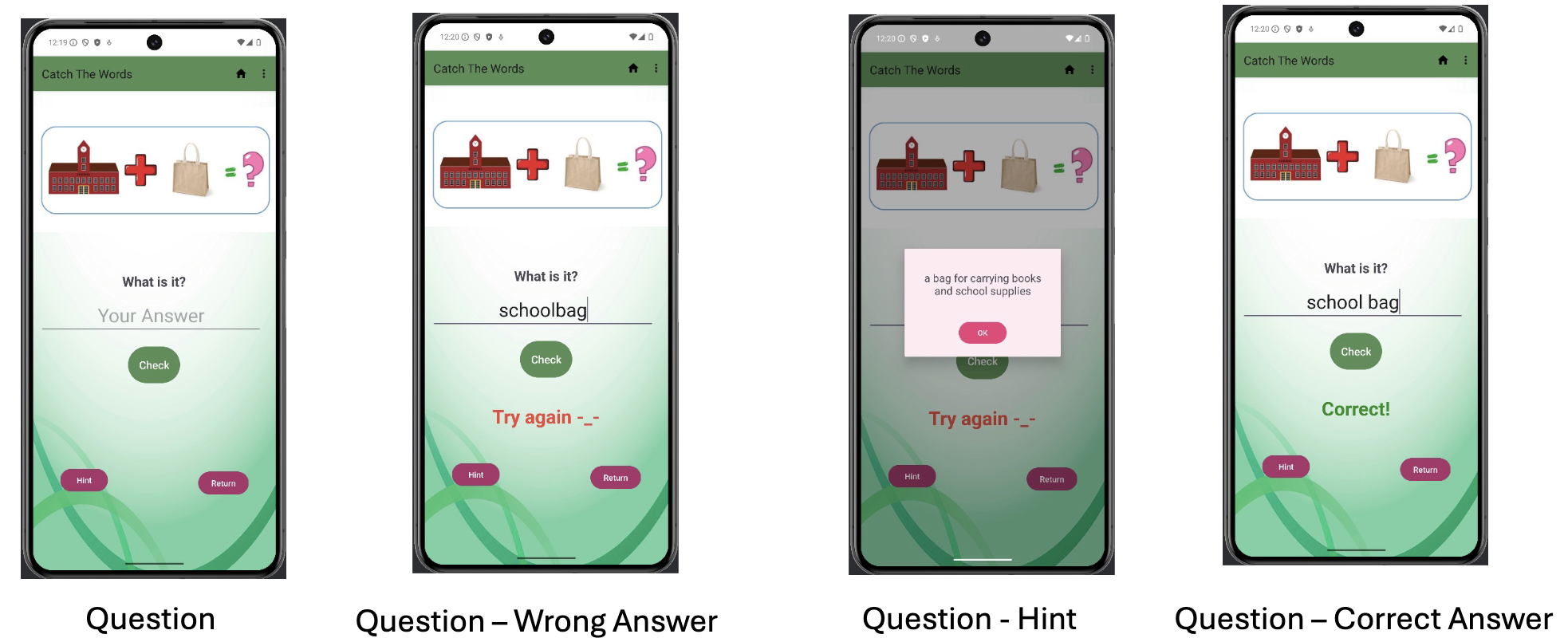
Step 4: Answer Questions
- User selects a question, views an image, and submits an answer.
Step 5: Get Feedback
- The app checks the answer and displays
Correct!orTry again -_-
Step 6: Request Hint
- User can tap “Hint” to see a clue for the current question.
Step 7: Rate App
- User can open a dialog to rate the app and submit feedback, which is displayed on the main screen.
Functionalities
-
Launch Screen
-
Topic Screen
-
Question Screen