Building a AWS Machine Learning Course Interactive Dashboard
Business Scenario
The training organization has 46 videos covering various Machine Learning topics. The project aims to develop a user-friendly dashboard that enables students to easily find relevant video content based on their search queries.
Techniques
- video and audio processing: ffmpeg
- video editing and manipulation: MoviePy
- speech-to-text conversion: OpenAI Whisper
- text processing and analysis: NLTK
- Keyphrase extraction: model (
ml6team/keyphrase-extraction-kbir-inspec) from the Hugging Face Transformers library. This model is likely based on a BERT-like architecture and is trained to identify important keyphrases within text. - Data handling: Pandas
- Data visualization: WordCloud, Bokeh
Workflow
1. Data Acquisition and Preprocessing
- Video to Audio Conversion: Convert the MP4 video files to MP3 audio files using
ffmpegormoviepy. - Speech-to-Text Transcription: Use the OpenAI Whisper model to transcribe the audio files into text and save the transcripts as text files.
- Create DataFrame: Load the transcripts into a Pandas DataFrame, associating each transcript with its corresponding video name.
- Data Cleaning and Normalization: Apply text normalization techniques (lowercasing, lemmatization, removing non-ASCII characters, URLs, emojis, punctuation, numbers, and stop words) to clean and prepare the transcripts for further analysis.
- Add Metadata: Extract video module information and calculate text length to enrich the DataFrame.
2. Keyphrase Extraction
- Initialize Keyphrase Extractor: Load the pre-trained keyphrase extraction model (
ml6team/keyphrase-extraction-kbir-inspec). - Extract Keyphrases: Apply the keyphrase extractor to the normalized transcripts to identify important keyphrases for each video.
- Refine Keyphrases: Perform further refinement on extracted keyphrases, such as replacing common abbreviations with their full forms and lemmatizing.
3. Data Organization and Analysis
- Create Keyword Dictionary: Build a dictionary mapping keyphrases to their corresponding video names to facilitate search functionality.
- Create Keyword DataFrame: Convert the keyword dictionary into a Pandas DataFrame for easier analysis and manipulation.
- Calculate Keyword Frequency: Determine the frequency of each keyphrase across all videos.
- Filter Keyphrases: Apply criteria based on keyword length, character count, and frequency to filter out less relevant or redundant keyphrases.
4. Dashboard Creation and Visualization
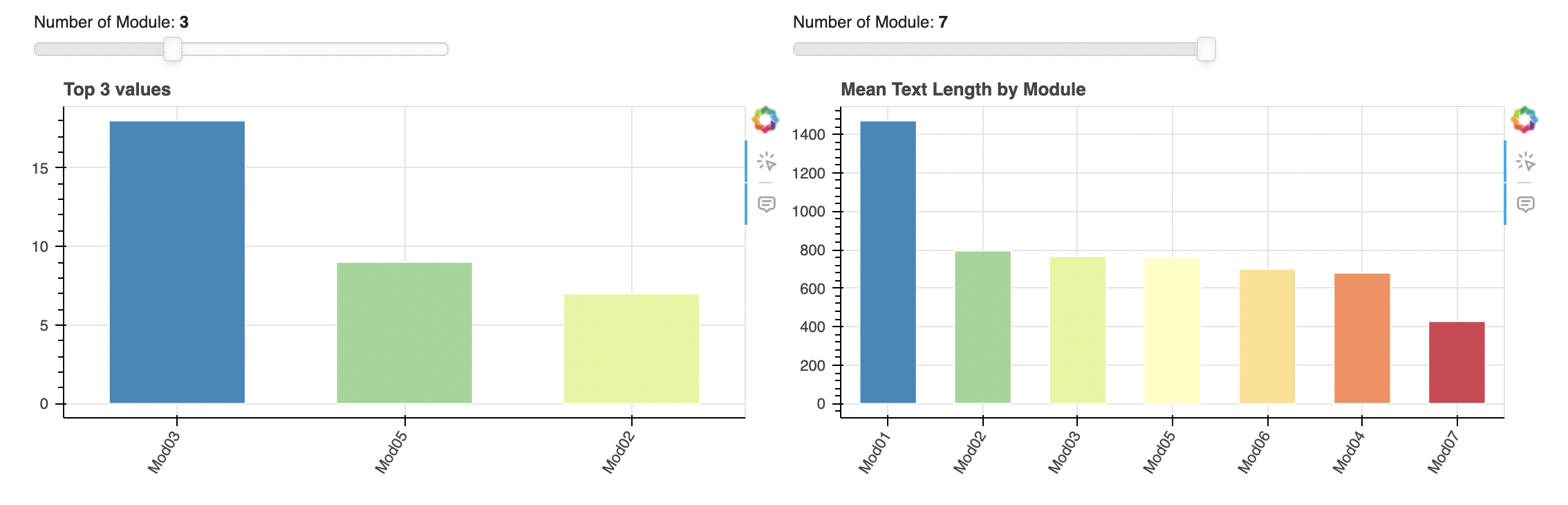
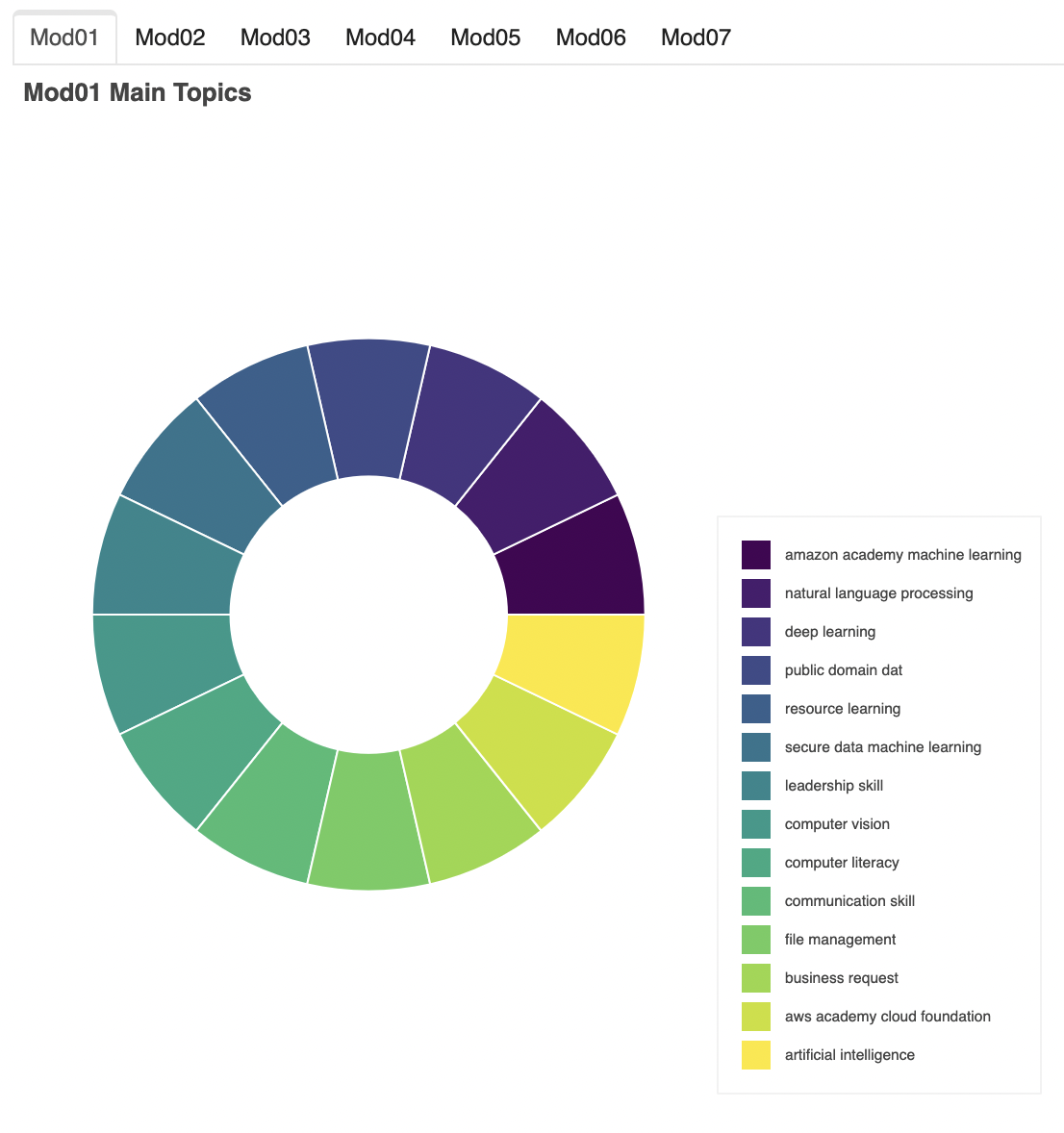
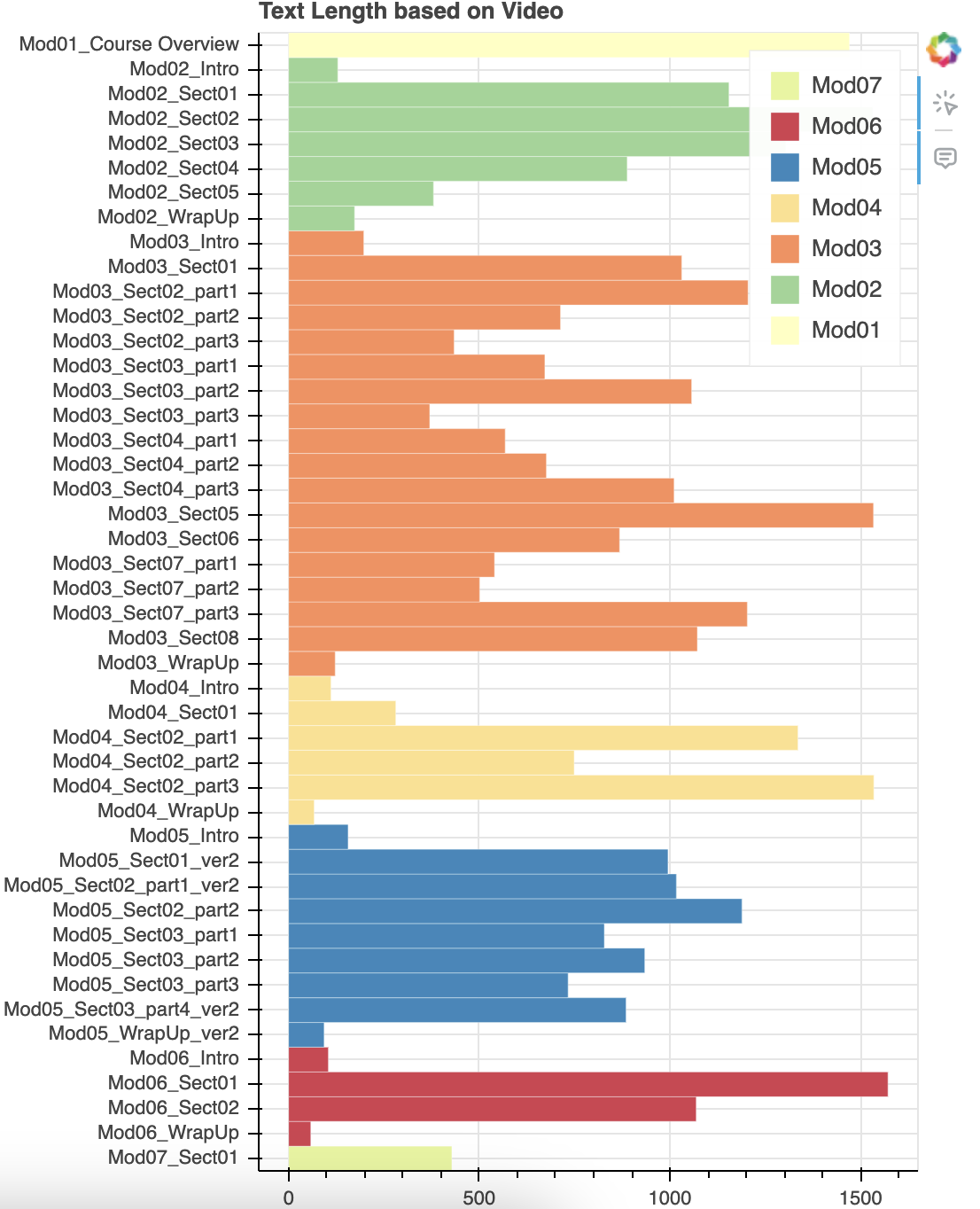
- Create Visualization Components: Use Bokeh to build interactive visualizations, such as bar charts to show video count and average text length by module, word clouds to display frequent keyphrases, annular wedges to represent topic distribution within modules, and a horizontal bar chart to visualize text length for each video.
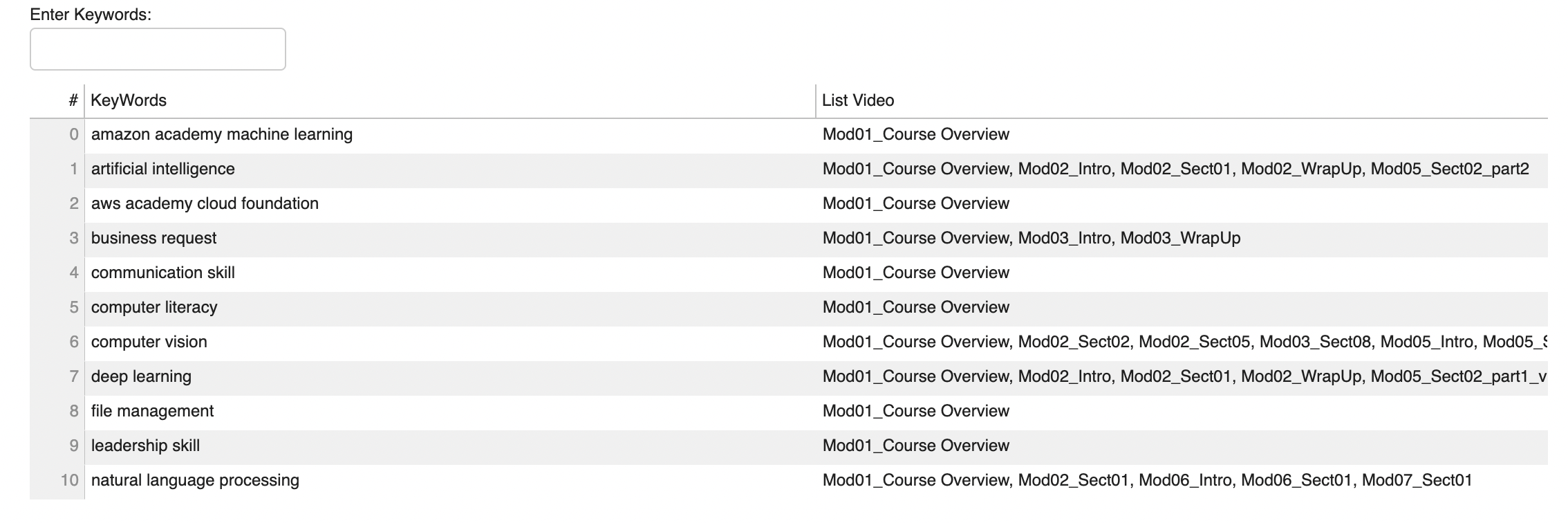
- Create Filterable Table: Implement a searchable and filterable table using Bokeh to display keyphrases and their associated videos.
- Assemble Dashboard Layout: Arrange the visualization components and table within a Bokeh layout to create the final dashboard.
- Display Dashboard: Show the dashboard using Bokeh, allowing users to interact with the visualizations and search for video content using keyphrases.
Functionalities
a. Compare modules
b. WordClouds

c. List Main Topics
d. Compare Text Length
e. Search Keywords