Building a Food Image Classification Web App
Business Scenario
This project demonstrates a complete machine learning workflow, from data preparation and model training to deployment and user interaction, making it a practical solution for users to upload food images and receive predictions about the type of food depicted. The app uses training data on the Food-101 Dataset, which contains 101,000 images of 101 food categories.
Techniques
- Data Preparation:
- Pandas: For handling tabular data and creating dataframes.
- NumPy: For numerical operations and preprocessing tasks.
- scikit-learn:
LabelEncoderfor encoding class labels into numerical format,train_test_splitfor splitting the dataset into training and validation sets. - Pillow (PIL): For loading and processing image files.
- torchvision.transforms: For applying transformations to images, including resizing, normalization, and converting to tensors.
- Model Building: PyTorch, a popular deep learning framework, to build and train the image classification model. The model is based on the ResNet18 architecture, leveraging PyTorch’s pre-trained models and transfer learning capabilities for efficient training and accurate predictions.
- Model Deployment: The app is deployed using Streamlit, a Python-based framework for building interactive web applications.
Workflow
1. Data Preparation
- Download and extract the Food-101 dataset.
- Images are resized to 128x128 pixels.
- Normalization is applied to standardize pixel values.
- Labels are encoded using
LabelEncoder.
2. Model Training
- Split the dataset into training and testing sets using predefined metadata files (
train.txtandtest.txt). - Load the ResNet18 model and modify the fully connected layer to match the number of food categories.
- Train the model using the training dataset.
- Early stopping to prevent overfitting.
- Validation split during training for performance monitoring.
- Adam optimizer for gradient-based optimization.
3. Model Deployment
- Load the trained model and label encoder in the Streamlit app.
- Predict the food category for uploaded images using the trained model.
- Define a preprocessing pipeline for uploaded images.
Functionalities
- Sidebar with dataset and model information
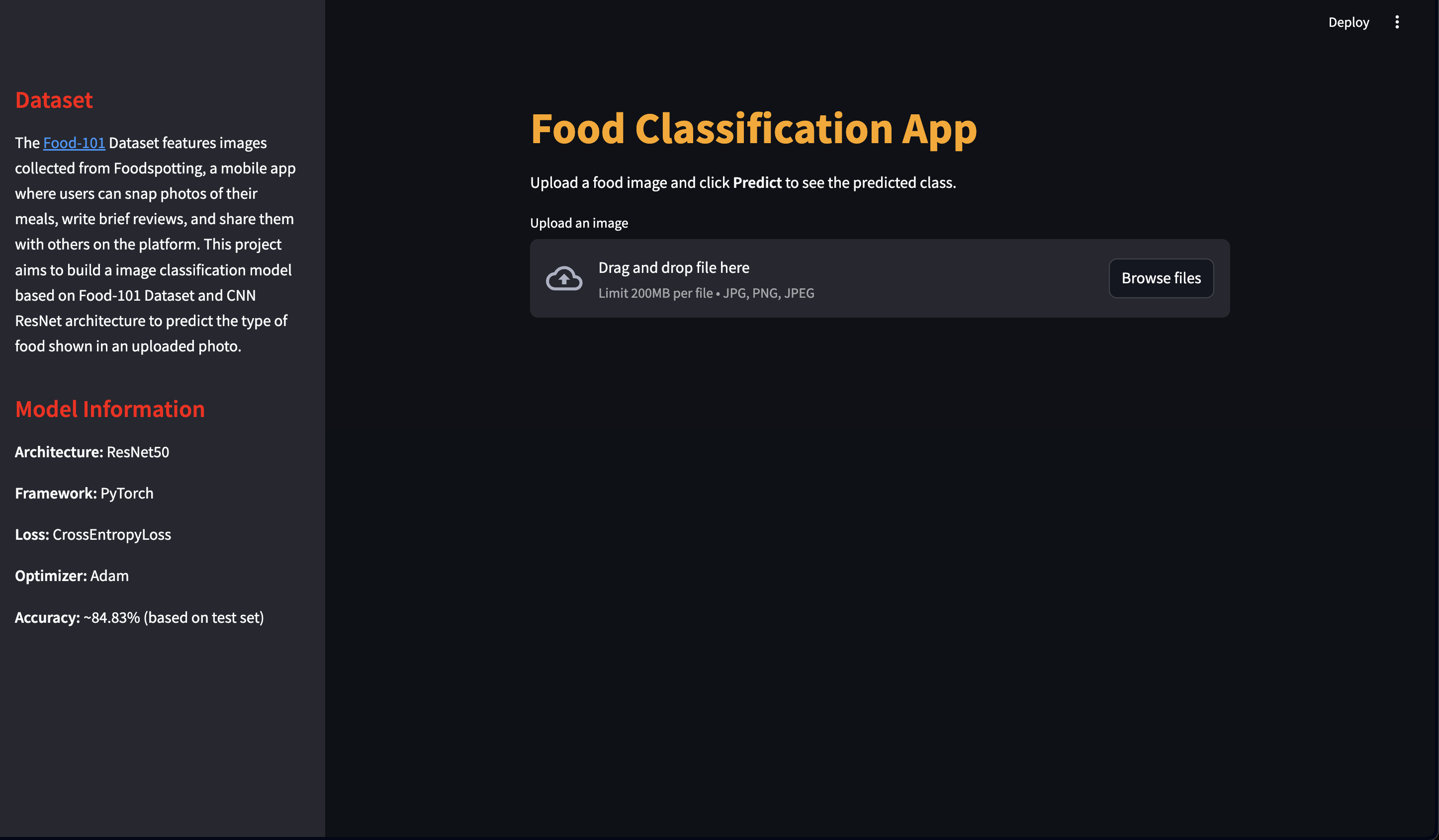
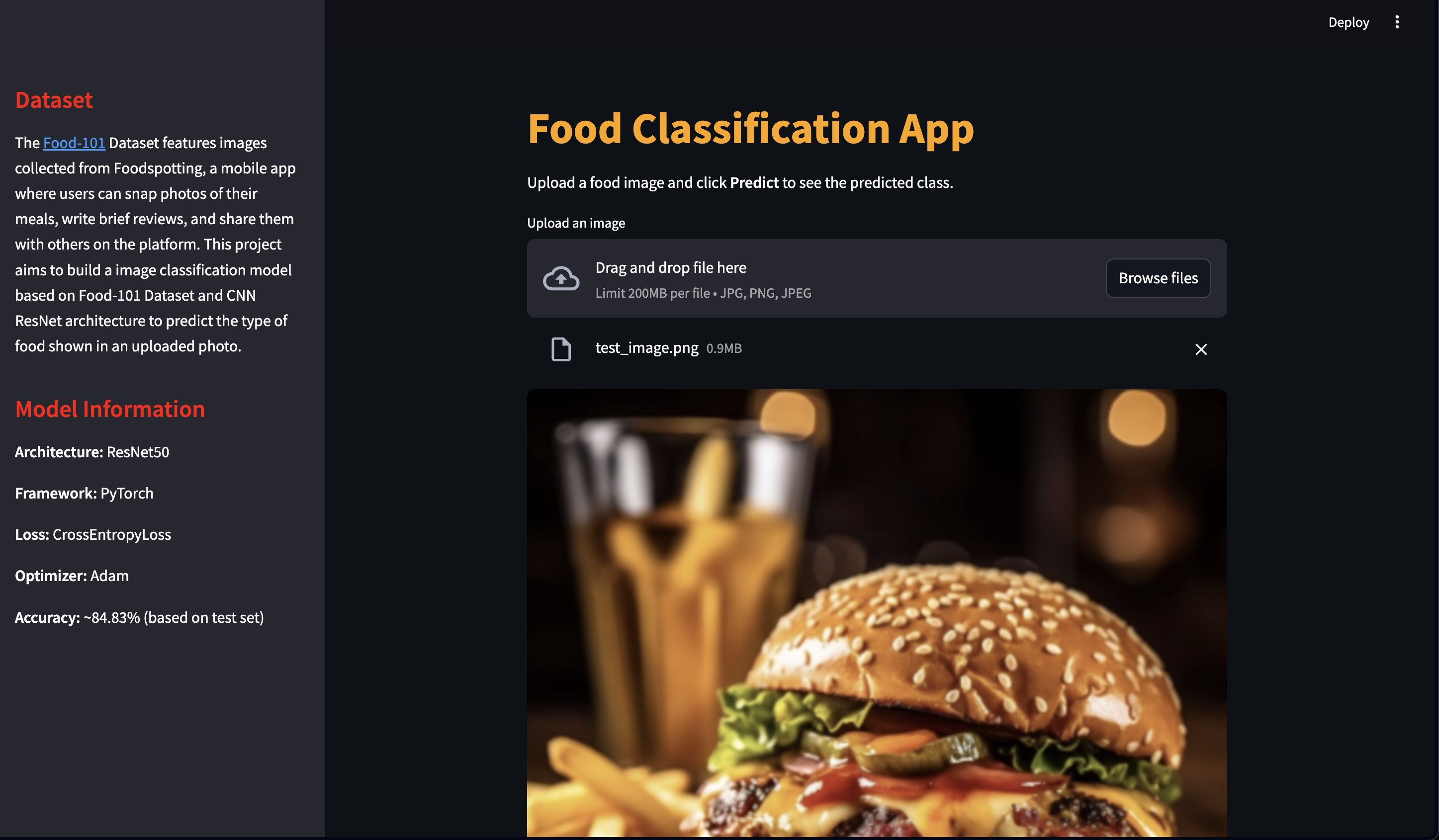
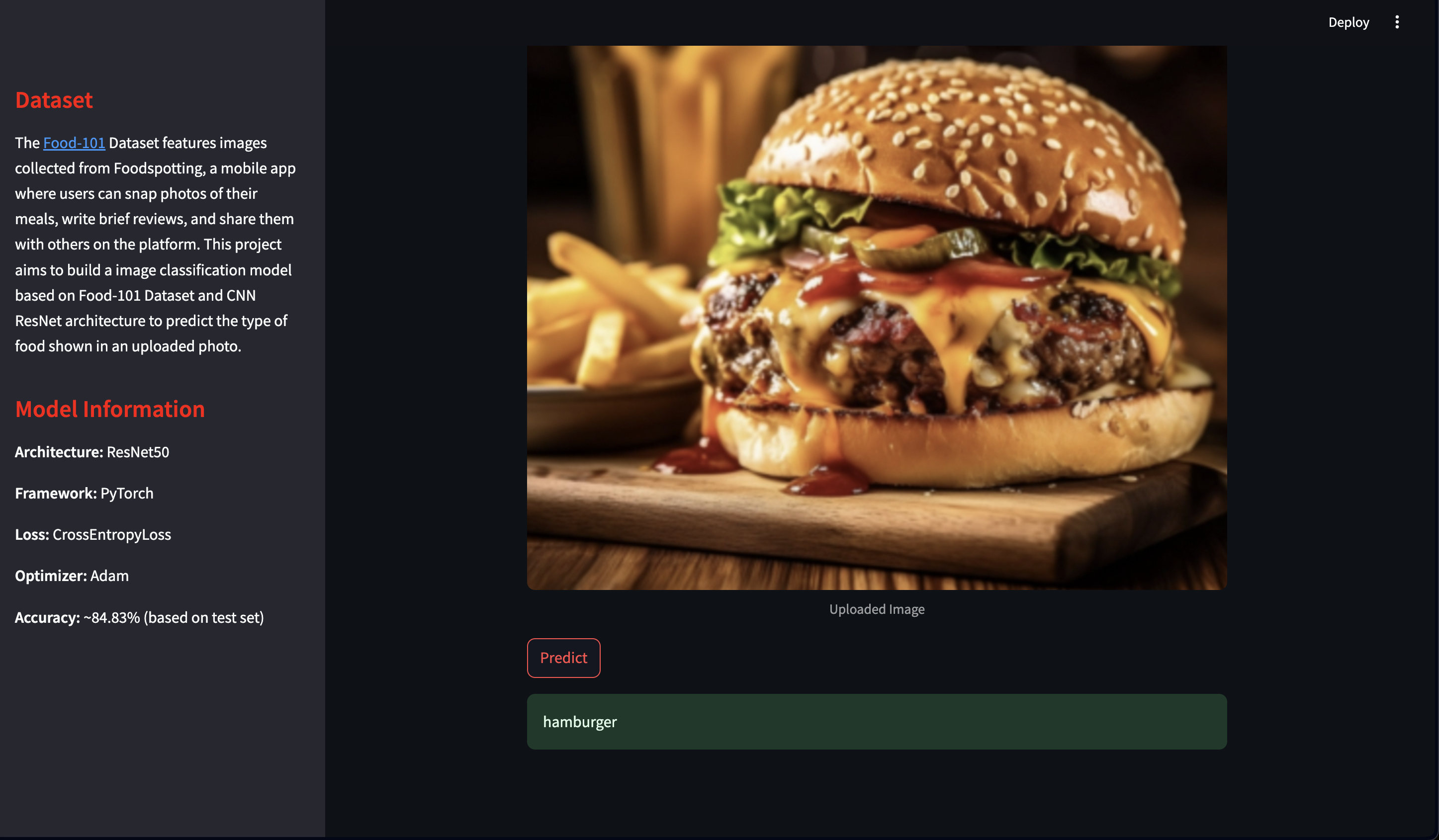
- Display predictions in a user-friendly interface. Users can upload food images in
.jpg,.png, or.jpegformats. The app predicts the food category using the trained model